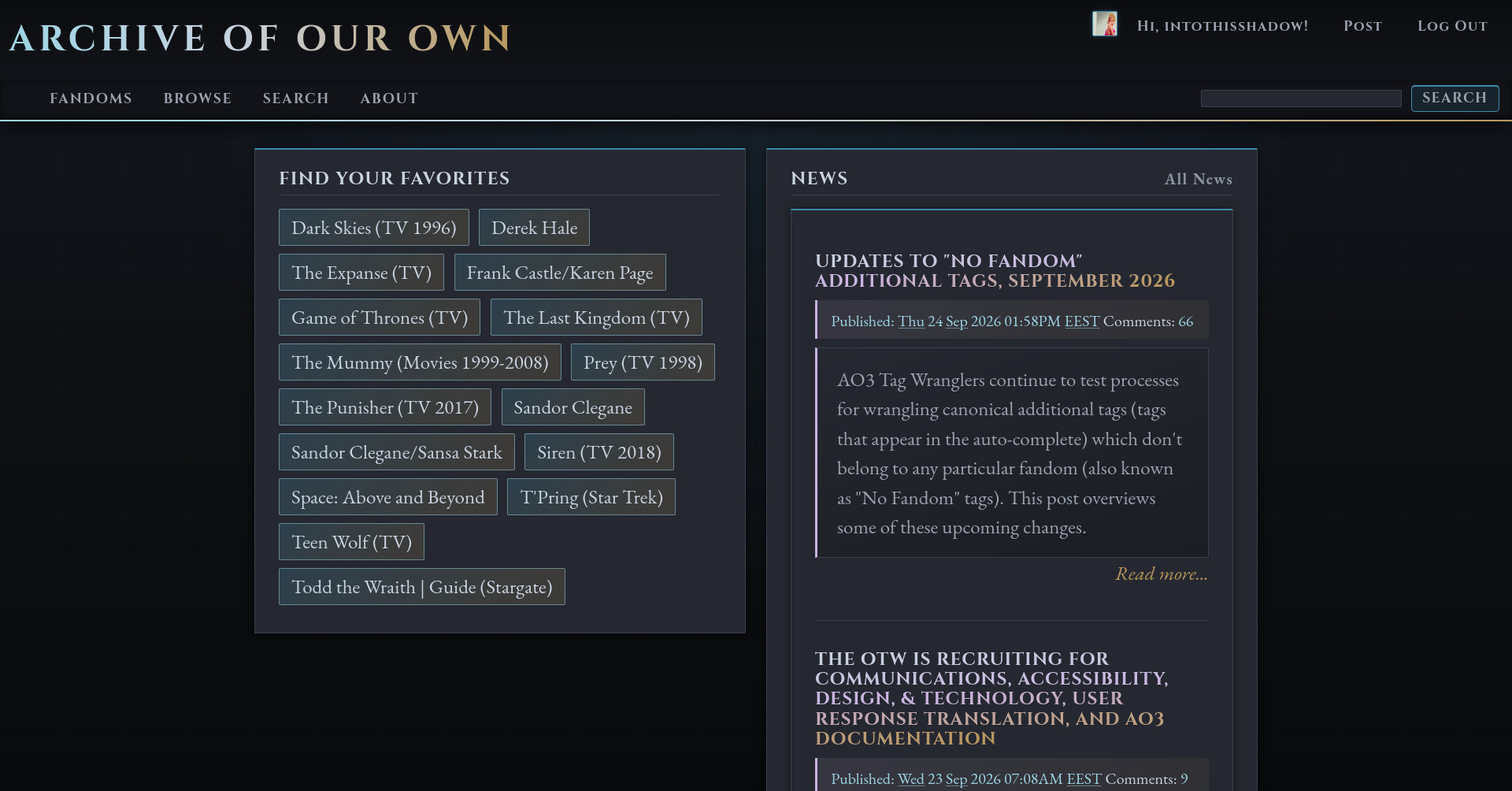
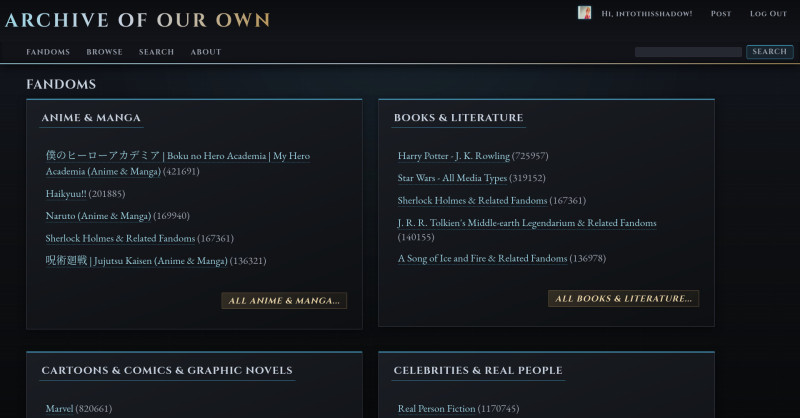
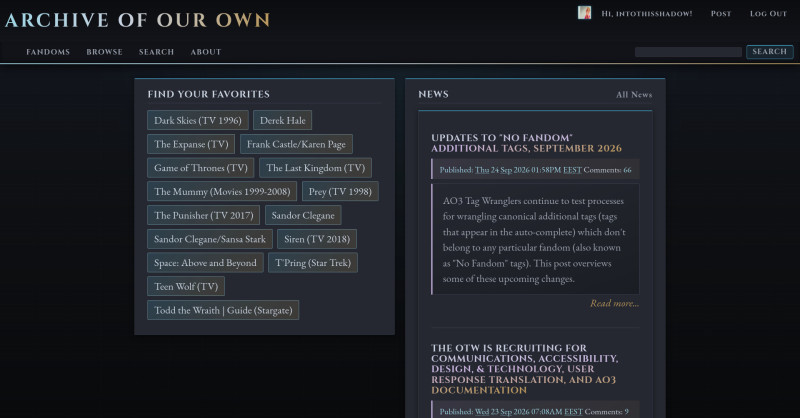
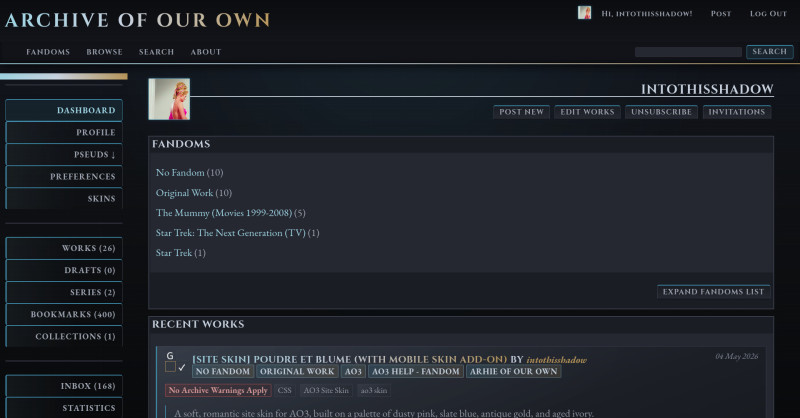
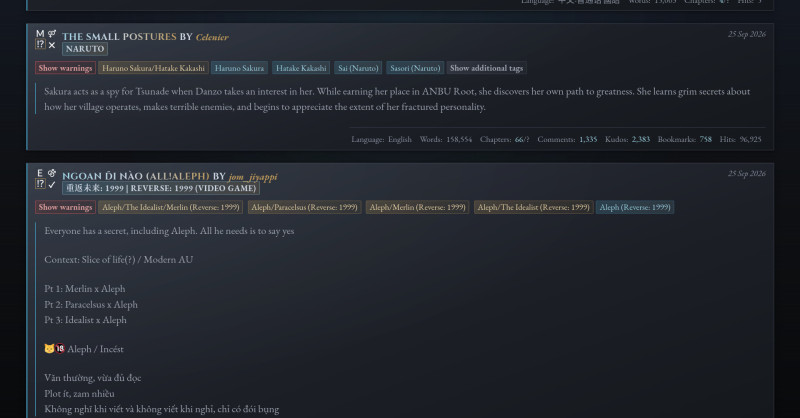
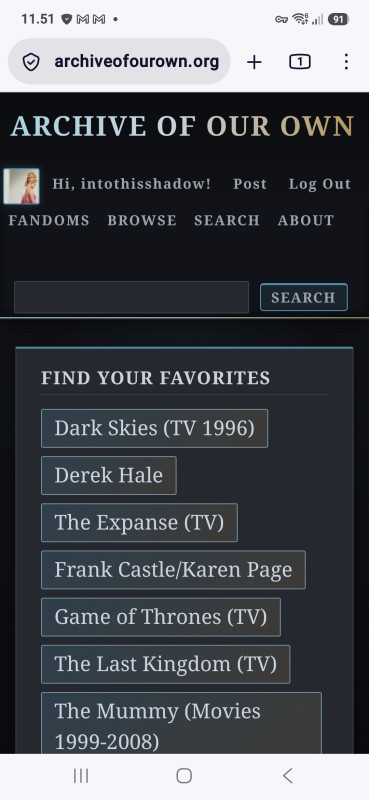
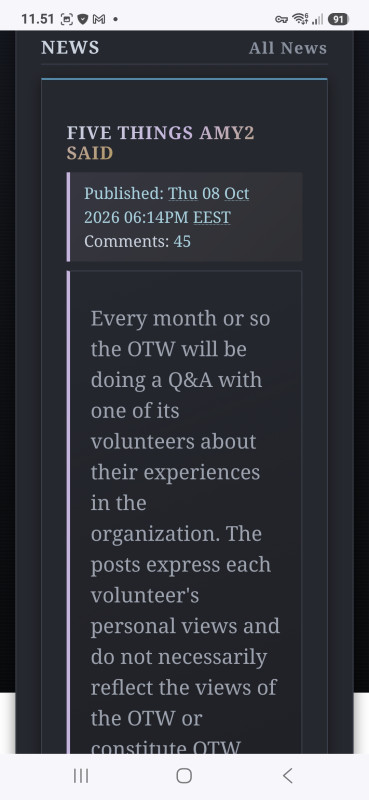
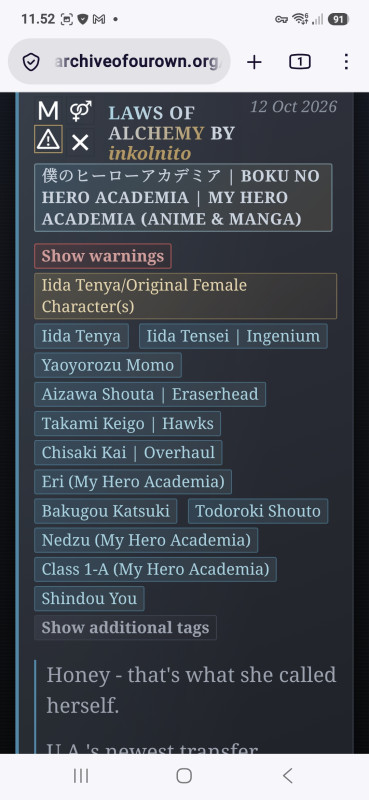
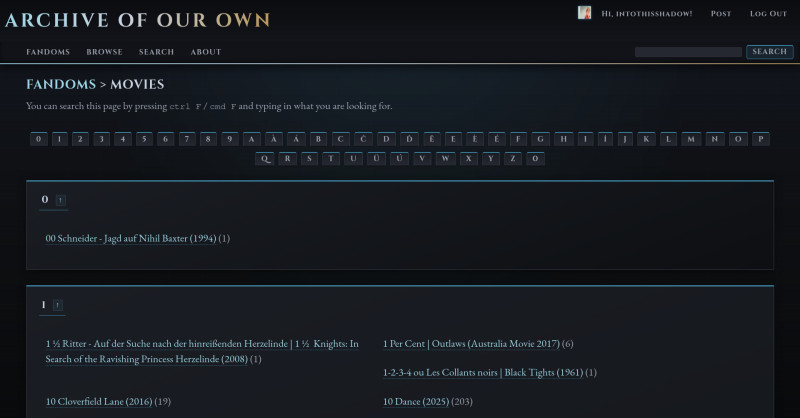
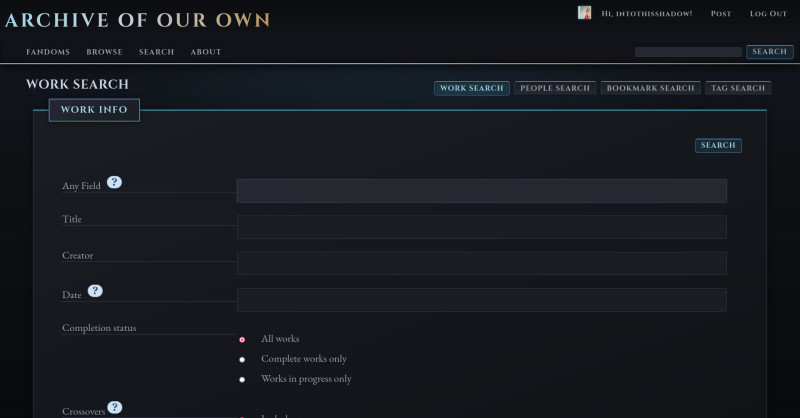
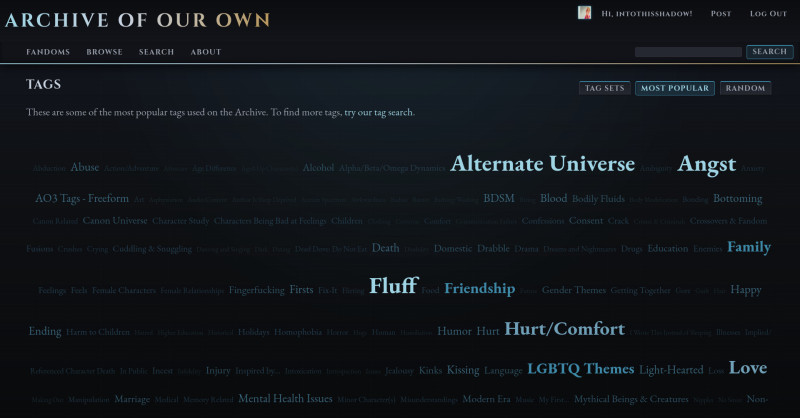
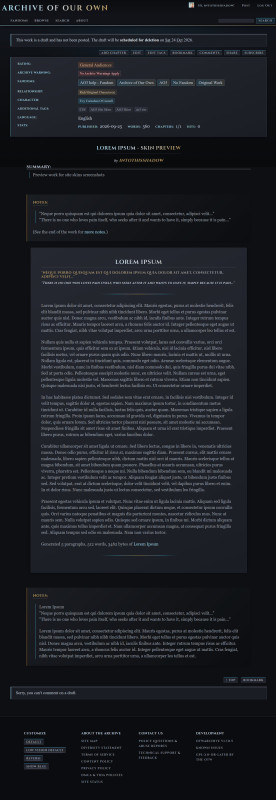
A dark, wintry site skin for Archive of Our Own: near-black stone surfaces, icy blue accents and antique gold, with a signature ice-to-gold gradient running through the header, work titles, dashboards and fandom tags. It uses Cinzel for headings and EB Garamond for reading text, on a single consistent type scale. It includes a companion mobile add-on and recoloured ZerafinaCSS icons.
Author: intothisshadow
Version: 1.0.0
sAO3 instructions: https://archiveofourown.org/works/94504386 GitHub: https://github.com/intothisshadow/AO3-SiteSkin_GildedFrost/
Website: https://www.so-obsessed.com
Fonts
This theme uses Cinzel (https://fonts.google.com/specimen/Cinzel) for headings, the Archive of Our Own title in the header, buttons and navigation, and EB Garamond (https://fonts.google.com/specimen/EB+Garamond) for body text, links and tags. AO3 skins can't load web fonts, so to see them you need either to install both fonts on your system (download them from the URLs above), or to load them in your browser with the included stylus_fonts.css (see Fonts via Stylus below). Without either, the skin falls back to Georgia/serif.
File Structure
style_desktop.css       Desktop stylesheet (required)
style_mobile.css        Mobile add-on (requires style_desktop.css as parent skin)
stylus_fonts.css        Optional: loads the custom fonts via the Stylus browser extension
CHANGELOG.md            Version history
README.md               This file
How to Install
Find the files mentioned here:
GitHub: https://github.com/intothisshadow/AO3-SiteSkin_GildedFrost/
Fonts via Stylus (recommended)
AO3's skin system cannot load external fonts: its CSS sanitizer rejects @import and @font-face outright. For the intended look, load the fonts separately with Stylus, a free browser extension.
- Install Stylus for Firefox or Chrome
- Click the Stylus icon → Manage → Write new style
- Paste the contents of
stylus_fonts.css into the code editor
- Under Applies to, select URLs on the domain and enter
archiveofourown.org
- Name it (e.g.
AO3 Gilded Frost Fonts) and save
Without this step, headings and body text fall back to Georgia/serif, which still reads well. The custom fonts are a polish layer, not a requirement.
Desktop skin (required)
- Go to Hi, user! → My Dashboard → Skins → Create Site Skin
- Paste the contents of
style_desktop.css into the CSS field
- Set Media to All Media Types
- Save. If you are also using the mobile add-on, don't activate this skin directly.
Mobile add-on (recommended)
- Go to Hi, user! → My Dashboard → Skins → Create Site Skin
- Paste the contents of
style_mobile.css into the CSS field
- Under Media, check Handheld Devices and Narrow Screen Devices
- Under Parent Skin, select the desktop skin you created above
- Save and activate this skin. AO3 applies the parent skin alongside it automatically, so you only ever activate the child.
Desktop only (no mobile add-on)
If you don't want the mobile add-on, activate the desktop skin directly instead.
Icon replacements
The ZerafinaCSS icon replacement set is built into style_desktop.css as Section 34, recoloured to the Gilded Frost palette, so no separate skin is needed. It's based on ZerafinaCSS's Replace the AO3 Icons 2.0. To remove the icon replacements, delete Section 34.
Customising the Palette
All colours are CSS variables in the :root block in Section 2 (Color Palette) of style_desktop.css. To change the colour scheme, edit that block only.
| Variable |
Value |
Role |
--gf-void |
#0d0f12 |
Page background |
--gf-stone |
#1a1d23 |
Main surface |
--gf-granite |
#252830 |
Cards and panels |
--gf-slate |
#3a3f4b |
Borders and dividers |
--gf-ash |
#8a92a0 |
Muted text |
--gf-silver |
#9ca3af |
Body text |
--gf-frost |
#c9d3e0 |
Primary text |
--gf-white |
#e8edf4 |
Headings |
--gf-ice |
#9ed4e3 |
Icy blue accent, links |
--gf-ice-mid / -dim |
#6fa8c4 / #3f89a8 |
Secondary accents, borders |
--gf-gold |
#b8965a |
Gold accent, authors |
--gf-gold-pale / -dim |
#e8d4a8 / #7a6038 |
Text on gold pills, muted gold |
--gf-danger |
#d67878 |
Warnings |
Muted colours were lightened where needed so text meets WCAG AA contrast on every surface.
Type Scale
Every font size in the skin comes from one set of tokens in the same :root block:
| Token |
Desktop |
Phone |
Used for |
--fs-xs |
14px |
12.3px |
Buttons, nav, footer links, pagination, meta labels |
--fs-sm |
16px |
14px |
Tags, blurb stats, dates, footnotes |
--fs-md |
18px |
15.8px |
Blurb titles and authors, legends, small headings |
--fs-base |
20px |
18px |
Body and reading text |
--fs-h3 / h2 / h1 |
20 / 24 / 32px |
17.5 / 21 / 28px |
Page headings |
The mobile add-on shrinks the root font size, which scales the whole set together, and pins --fs-base to 18px so fic text stays comfortable to read. Author-written headings inside fic text keep their own scale.
Stylesheet Structure
The desktop stylesheet has 34 numbered sections, listed in the table of contents at the top of the file.
The mobile stylesheet has no @media blocks, on purpose. AO3 already applies the whole skin only to the screen types ticked under Media, and when you save, it silently removes any @media condition you write inside the CSS, so the rules inside apply at every screen size instead. If you edit the mobile file, add plain rules rather than media queries.
Credits
Version
Current: V1.0.0. See CHANGELOG.md for history. The changelog documents significant changes only: new features, architectural decisions and notable bug fixes.